 Image 1 of 2
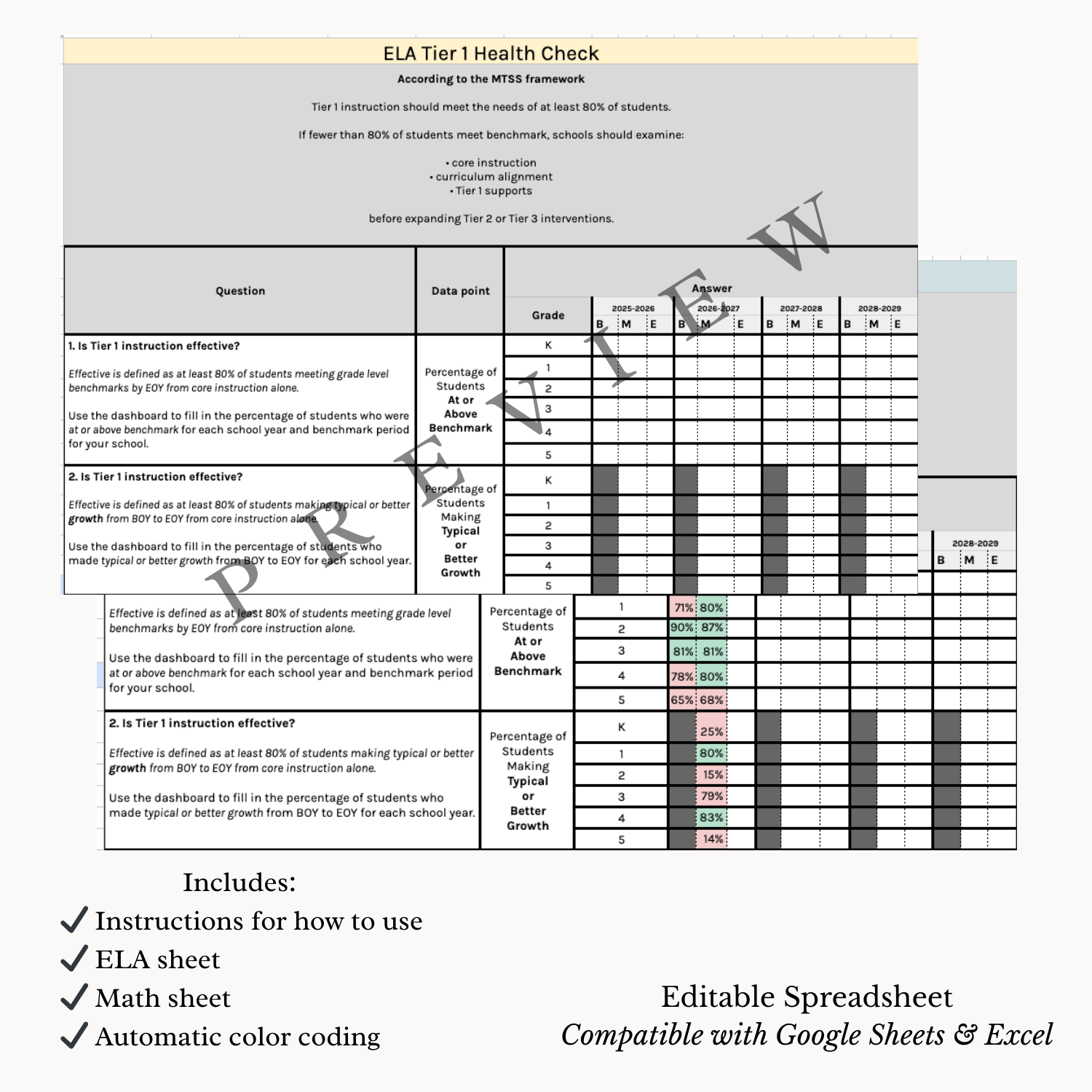 Image 2 of 2
Before building intervention systems, schools must answer one critical question:
Is Tier 1 instruction actually working?
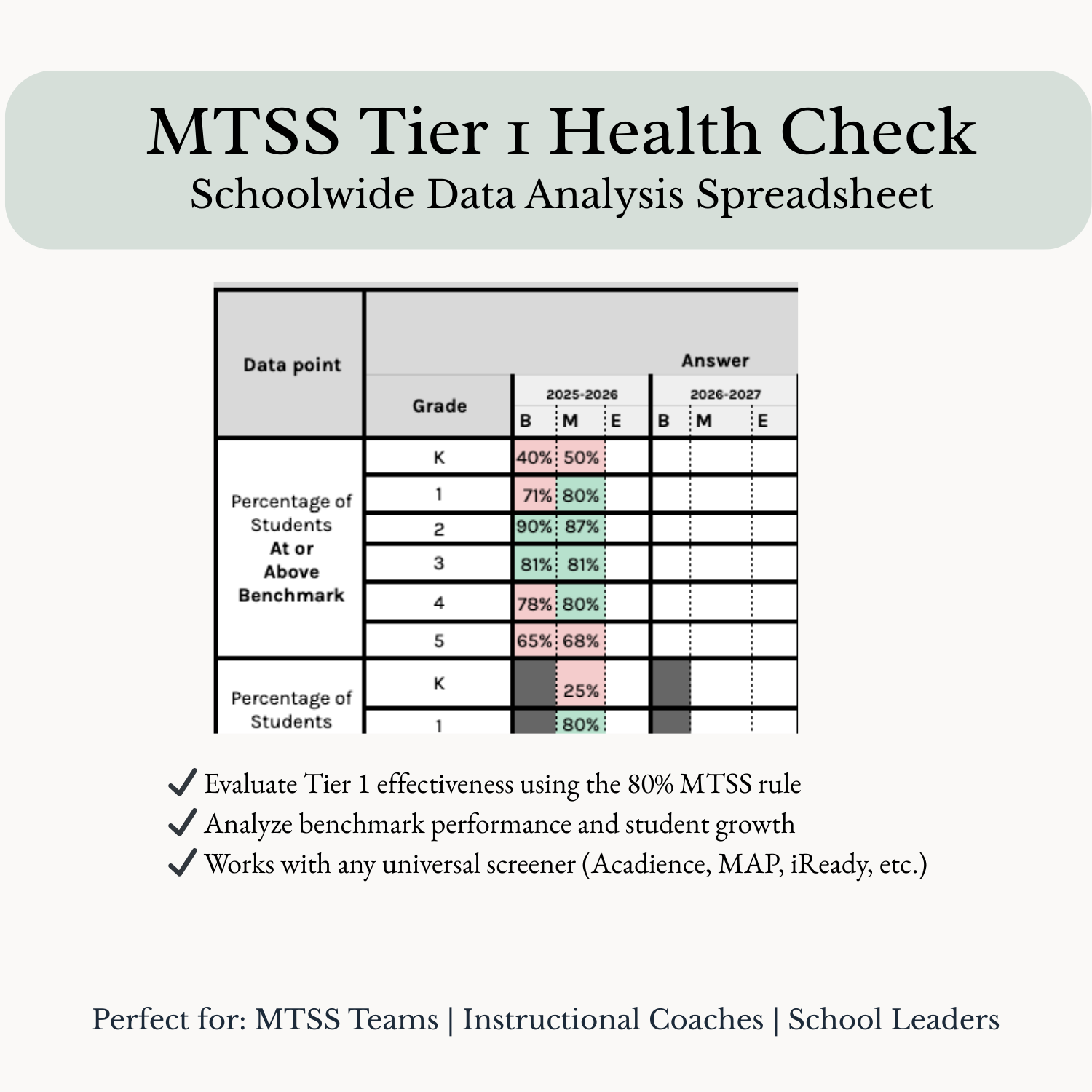
Within an MTSS framework, Tier 1 instruction should meet the needs of at least 80% of students. When fewer than 80% of students are meeting benchmark or making expected growth, schools may be facing a Tier 1 problem rather than an intervention problem.
This editable spreadsheet helps MTSS teams, instructional coaches, and school leaders quickly evaluate the effectiveness of Tier 1 instruction using universal screener data.
Instead of guessing, schools can clearly see whether core instruction is meeting student needs before expanding Tier 2 and Tier 3 supports.
• Evaluate Tier 1 effectiveness using the MTSS 80% rule
• Analyze benchmark performance across grades and school years
• Review whether students are making typical or stronger growth
• Identify schoolwide trends that may indicate Tier 1 instructional gaps
• Support MTSS team discussions with clear, organized data
✔ MTSS Tier 1 Health Check Spreadsheet
✔ Separate analysis pages for ELA and Math
✔ Automatic color coding
• Green = Tier 1 effective (≥80%)
• Red = Tier 1 needs attention (<80%)
✔ Simple instructions for entering data, interpreting results, and prompting reflection and next steps
Enter the percentage of students meeting benchmark for each grade.
Enter the percentage of students making typical or stronger growth.
Cells automatically highlight whether Tier 1 instruction is meeting MTSS expectations.
This tool works with data from any universal screener, including:
• Acadience
• MAP
• i-Ready
• district screeners
• state assessments
Editable spreadsheet compatible with:
Google Sheets
Microsoft Excel
Simply download the file and open it in Excel or upload it to Google Sheets.
• MTSS teams
• instructional coaches
• intervention specialists
• assistant principals and school leaders
• teacher leaders responsible for MTSS implementation
Many schools attempt to solve academic gaps by expanding interventions.
However, within MTSS frameworks, intervention systems cannot compensate for weak Tier 1 instruction.
This tool helps schools determine whether the foundation of instruction is strong enough before expanding Tier 2 and Tier 3 supports.
Before building intervention systems, schools must answer one critical question:
Is Tier 1 instruction actually working?
Within an MTSS framework, Tier 1 instruction should meet the needs of at least 80% of students. When fewer than 80% of students are meeting benchmark or making expected growth, schools may be facing a Tier 1 problem rather than an intervention problem.
This editable spreadsheet helps MTSS teams, instructional coaches, and school leaders quickly evaluate the effectiveness of Tier 1 instruction using universal screener data.
Instead of guessing, schools can clearly see whether core instruction is meeting student needs before expanding Tier 2 and Tier 3 supports.
• Evaluate Tier 1 effectiveness using the MTSS 80% rule
• Analyze benchmark performance across grades and school years
• Review whether students are making typical or stronger growth
• Identify schoolwide trends that may indicate Tier 1 instructional gaps
• Support MTSS team discussions with clear, organized data
✔ MTSS Tier 1 Health Check Spreadsheet
✔ Separate analysis pages for ELA and Math
✔ Automatic color coding
• Green = Tier 1 effective (≥80%)
• Red = Tier 1 needs attention (<80%)
✔ Simple instructions for entering data, interpreting results, and prompting reflection and next steps
Enter the percentage of students meeting benchmark for each grade.
Enter the percentage of students making typical or stronger growth.
Cells automatically highlight whether Tier 1 instruction is meeting MTSS expectations.
This tool works with data from any universal screener, including:
• Acadience
• MAP
• i-Ready
• district screeners
• state assessments
Editable spreadsheet compatible with:
Google Sheets
Microsoft Excel
Simply download the file and open it in Excel or upload it to Google Sheets.
• MTSS teams
• instructional coaches
• intervention specialists
• assistant principals and school leaders
• teacher leaders responsible for MTSS implementation
Many schools attempt to solve academic gaps by expanding interventions.
However, within MTSS frameworks, intervention systems cannot compensate for weak Tier 1 instruction.
This tool helps schools determine whether the foundation of instruction is strong enough before expanding Tier 2 and Tier 3 supports.